Rock Band Simulator Controls & Keybinds
Keyboard, mouse, and controller defaults for exploration, ADR fights, and 21:00 shows.
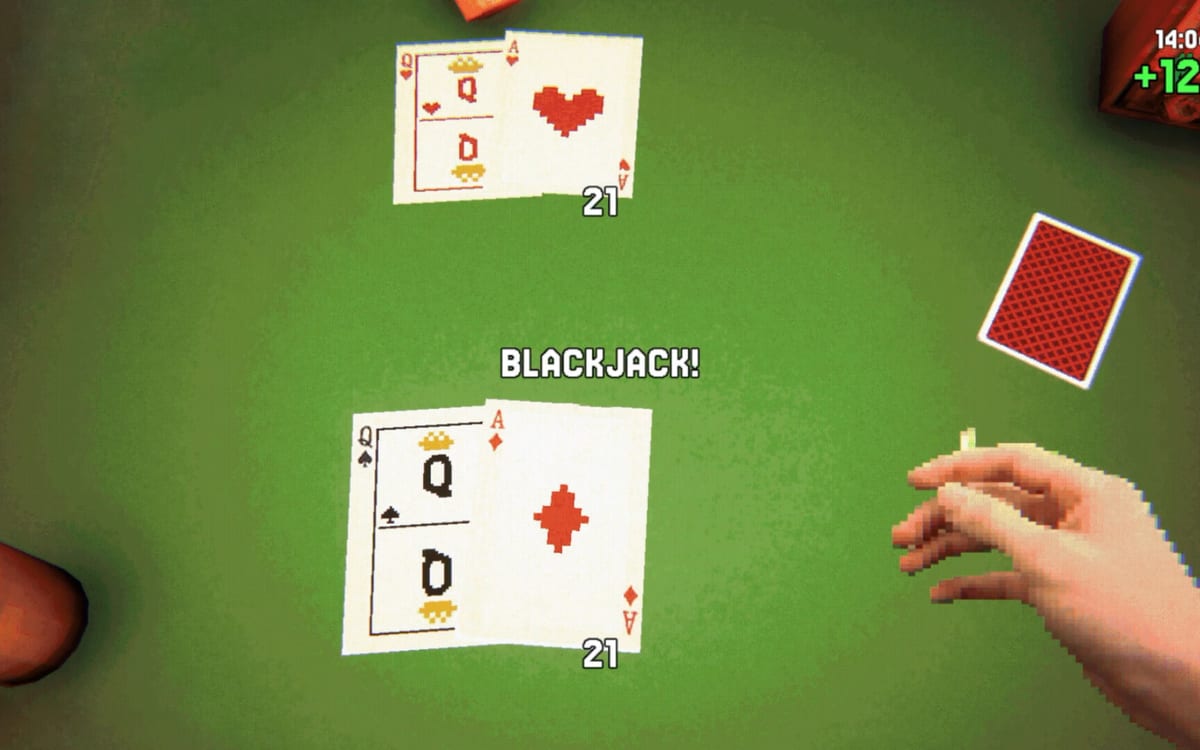
This controls guide for Rock Band Simulator documents the common keyboard, mouse, and controller mental model used across Ashport’s seven-day week. Exact labels can change if you remap in the Options menu or through Steam Input — treat the keys below as defaults observed in gameplay footage, then verify your own bindings before a completionist run.
You play a first-person lead guitarist with Evgen and Diman as bandmates. Nights end in rhythm concerts at 21:00. Combat and vices use ADR instead of a classic health bar. The game is single-player only on Steam PC (KONTRĀST MEDIA / PlayWay S.A., released November 20, 2026).
Pair this page with Getting Started for Monday habits, Tips & Tricks for routing, Ashport Map for districts, Concerts for stage timing, and Combat & ADR for fight windows. Hardware floors live on System Requirements; patch-era QoL notes sit under Updates.
Important disclaimer about remaps
Rock Band Simulator supports rebinding and full controller use. If a tip says “press E” and nothing happens, open Options and confirm Interact. If a Steam Input template moved face buttons, trust the on-screen prompt over this wiki’s default table. We keep defaults here so new players have a shared language; we do not freeze them as sacred law.
Keyboard and mouse mental model
Exploration defaults
| Action | Common default |
|---|---|
| Move | WASD |
| Look | Mouse |
| Interact / talk / pick up | E |
| Open bag / inventory | Tab (hold or press — footage shows bag access via Tab) |
| Pause | Esc |
Exploration is standard FPS locomotion through Garage alleys, Trailer Park lanes, Forest paths, and interior hubs. Interact covers dialogue, cans, posters, doors, junk piles, graves for Respects Paid, and shop counters. If an object highlights but refuses input, step closer, check you are not in a UI overlay, then retry.
Combat defaults
| Action | Common default |
|---|---|
| Punch / attack | Left mouse button (LMB) |
| Block | Right mouse button (RMB) |
| Throw (cans / held junk) | Hold R |
Pit brawls and street scraps reward timing more than button mashing. Blocking creates windows; swinging wild raises risk and can spike ADR. Improvised throws (including can toss practice toward Billy and The General) use a hold-to-throw pattern in footage — release with aim rather than tapping blindly. Full ADR theory: Combat & ADR.
Concert rhythm defaults
Nightly shows swap exploration controls for note-hitting rhythm sequences. Hit notes as they arrive, manage set momentum, and decide when to end the performance. Mouse or controller face buttons carry the chart depending on your setup — calibrate look sensitivity so you are not fighting camera drift between songs. Perfect grades feed Not a Single Wrong Note; survival still matters more on Monday. Deep stage advice: Concerts.
Items, bag, and pause utilities
- Bag (Tab) — Drink beer, equip smokes, and manage pocketed junk. Tutorial text in footage explicitly points players to Tab when they pick up a first beer.
- Pause menu → Unstuck — Rescue when collision or a stuck interaction traps you in geometry, a cell, or a trailer wedge.
- Use items carefully — Beer raises ADR; cigarettes commonly lower it. Mis-clicks in the bag during a Pit queue can ruin a Still Standing attempt.
Esc, Start, and stuck overlays
Demo Update #2 era QoL taught a critical habit: Esc (keyboard) or Start (gamepad) closes stubborn PC screens and the car map overlay when it refuses to dismiss. If mouse look dies and you only see a map or desktop-like layer, try Esc/Start before restarting the client.
Related softlock habits:
- Pause → Unstuck for physical traps.
- Esc / Start for UI traps (car map, stuck PC screen).
- Verify game files / update if a known softlock returns — see Updates.
- Only then reload the day, especially if a Shelf Life souvenir is mid-handoff.
Police cell fixes and Thursday campfire community softlock reports are also covered from a location angle on the Ashport Map.
Mouse sensitivity
Demo Update #1 era notes highlighted a usable mouse sensitivity range of roughly 0.1–2. That span matters because Ashport asks for three different look speeds in one evening:
- Slow, readable tracking in the Pit
- Comfortable neighborhood walking without nausea
- Crisp concert chart focus without overshoot
If fights feel mushy, raise sensitivity slightly. If notes feel late because you overcorrect the camera, lower it. Change one axis of the problem at a time — sensitivity, FPS cap, then overlays — so you know what fixed the timing. Performance companions: System Requirements.
Full controller support (Steam)
Rock Band Simulator ships with full controller support on Steam. You can play the week on a gamepad for exploration, combat, and concerts. Remapping is friendliest through Steam Input templates plus the in-game Options screen.
Controller tips:
- Bind a comfortable Interact face button and keep it consistent with on-screen prompts.
- Map Block and Attack to triggers or bumpers you can feather under stress.
- Ensure Start remains available for the Esc-equivalent overlay close — do not overwrite it with an unused emote.
- Check polling and battery on wireless pads before Friday Durak or a perfect-grade attempt; input hiccups feel like chart bugs.
Keyboard players who plug a pad mid-week should re-open Options once so the game and Steam Input agree on the active device.
Mode differences: four control contexts
Ashport is one bind set expressed four ways. Knowing which mode you are in prevents “broken controls” panic.
1. Exploration
WASD + mouse + Interact. Highest freedom, highest chance to wedge in scenery — keep Unstuck in muscle memory. District landmarks: Ashport Map.
2. Combat
Attack / block / throw with ADR rising in the background. Stop drinking mid-fight unless you are intentionally farming knockouts. Hands bruised before 21:00 still have to play.
3. Concert rhythm
Chart focus replaces free look priority. Stabilize FPS, close heavy overlays, and avoid changing sensitivity mid-song. Set length and ending choices are part of the skill — see Concerts.
4. UI overlays
Bag, pause, shop, car map, and PC screens capture input. If the world ignores WASD, you are probably still inside a layer — Esc/Start out, then move.
Troubleshooting stuck overlays and softlocks
| Symptom | Try this first |
|---|---|
| Cannot dismiss car map | Esc / gamepad Start |
| Stuck in geometry / trailer / cell | Pause → Unstuck |
| Bag open, world ignored | Close bag (Tab / face button), then Esc |
| Look too fast / too slow | Sensitivity 0.1–2 range; retest in Garage |
| Notes feel late only on pad | Check Steam Input, wireless polling, FPS cap |
| Thursday campfire hang | Unstuck → Esc → patch check → reload if needed |
| Controls “randomly” changed | Confirm remaps in Options; disable conflicting Steam templates |
If achievements fail to pop after a correct input (for example can toss wins), finish the in-world action, wait for Steam sync, and confirm prerequisites such as beating Billy before The General. Collection tracking: Collectibles.
Practice routine before Monday snowballs
Spend two quiet minutes in the Garage:
- Walk a circle with WASD and confirm look speed.
- Open and close the bag with Tab.
- Open pause and locate Unstuck without scrolling forever.
- Tap Esc so you know the sound/feel of closing UI.
- If using a controller, confirm Start still closes menus.
Then leave for the Supermarket and Trailer Park with confidence. Routing shortcuts and day planning live on Tips & Tricks and the walkthrough.
Related pages
- Getting Started
- Tips & Tricks
- Ashport Map
- Concerts
- Combat & ADR
- System Requirements
- Updates Hub
- Tools Hub
Learn the defaults, remap deliberately, and keep Esc / Unstuck as close as your Interact key. Ashport already supplies enough chaos — your binds should not add more.
Frequently Asked Questions
Quick answers about Rock Band Simulator.
What are the default movement and interact keys?
Common defaults from gameplay footage are WASD to move, mouse to look, and E to interact, talk, or pick up items. Always confirm in Options if you remapped.
How do I attack, block, and throw?
LMB commonly punches or attacks, RMB blocks, and holding R throws cans or held junk. Timing matters more than mashing, especially in the Pit.
How do I close the car map or a stuck PC screen?
Press Esc on keyboard or Start on a gamepad. That QoL fix was highlighted around Demo Update #2 and still rescues overlay softlocks.
What mouse sensitivity range should I use?
Demo Update #1 era notes call out roughly 0.1–2. Tune inside that span separately for fights and concerts until look speed stops fighting your timing.
Does Rock Band Simulator support controllers?
Yes. Steam lists full controller support. Remap with Steam Input and in-game Options, and keep Start free so you can dismiss stuck overlays.